

How to logout users of a facility
Use this guide to log out all sessions of a user in your facility. Do this when the user cannot log in.
Before you start: you must be a Facility Administrator.
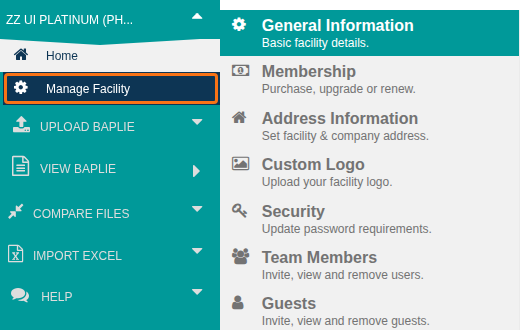
- Log in to your account. In the Function Menu on the left, click Manage Facility (highlighted in the picture). It is under the facility name.
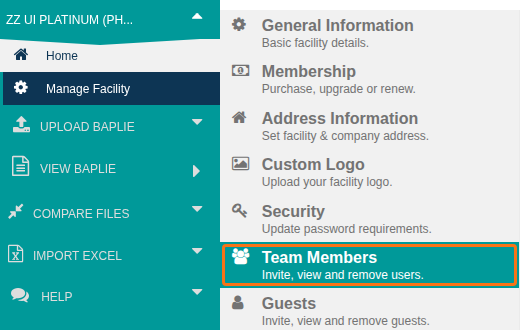
- Click Team Members (highlighted in the picture).
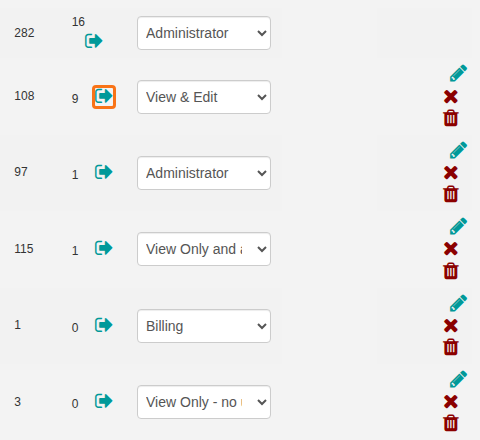
- Find the user who cannot log in. In the Sessions column, click the log out icon next to the number of open sessions (highlighted in the picture).
The user can now log in again without the error.