

How to delete one or more records
Use this guide to delete one or more container records (rows) from a BAPLIE file. Use it for records that you no longer need in the file.
Before you start: open your file. You need the Edit permission for the file.
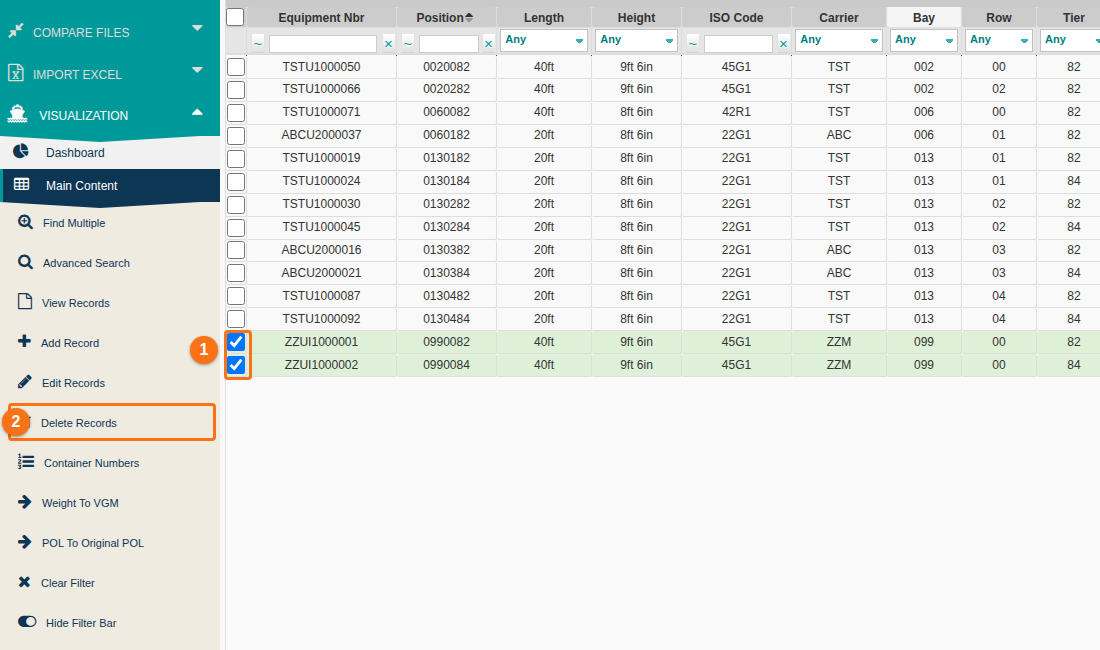
- In the Function Menu on the left, open Visualization and click Main Content. The table of containers opens.
- Find the containers you want to delete. Use a query or a filter above the table.
- Tick the checkbox at the left of each record you want to delete (1 in the picture).
- In the Function Menu, click Delete Records (2 in the picture).
- The Deleting Rows window asks if you are sure. For example: “Are you sure you want to delete 2 row(s)?” Click Delete Rows. The selected records are removed from the file.
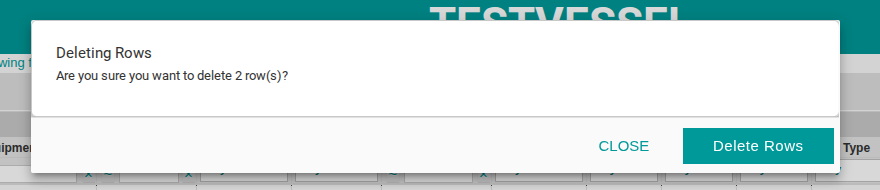
To cancel: click Close in the Deleting Rows window. Nothing is deleted.