

How to navigate the Create MOVINS option
Use this guide to convert a BAPLIE file into a MOVINS file (a file of container moves for one port). You need a membership at BAPLIE Viewer Online. You can convert any BAPLIE version.
Before you start: upload a BAPLIE file to baplieviewer.com, or open a file that you uploaded before.
- In the Function Menu on the left, open Management and click Create MOVINS.
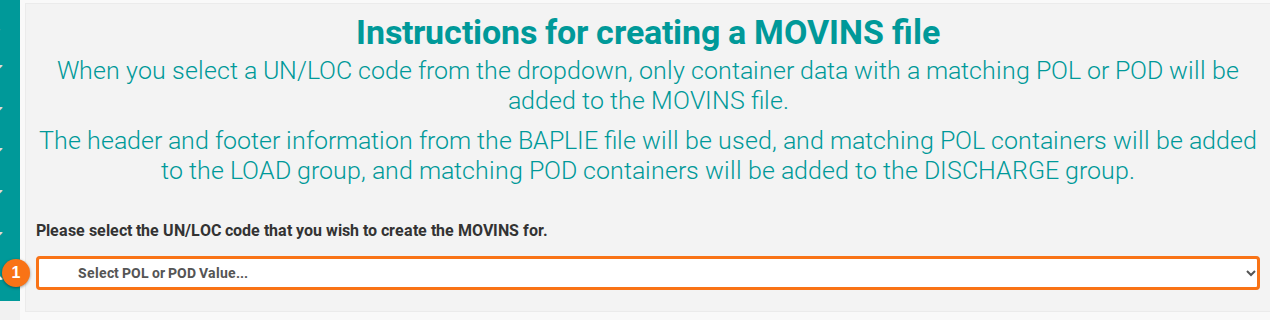
- The Instructions for creating a MOVINS file page opens. Open the list Select POL or POD Value… (1 in the picture). The list shows the ports (UN/LOC codes) from your BAPLIE file. Choose the port where the operations take place.
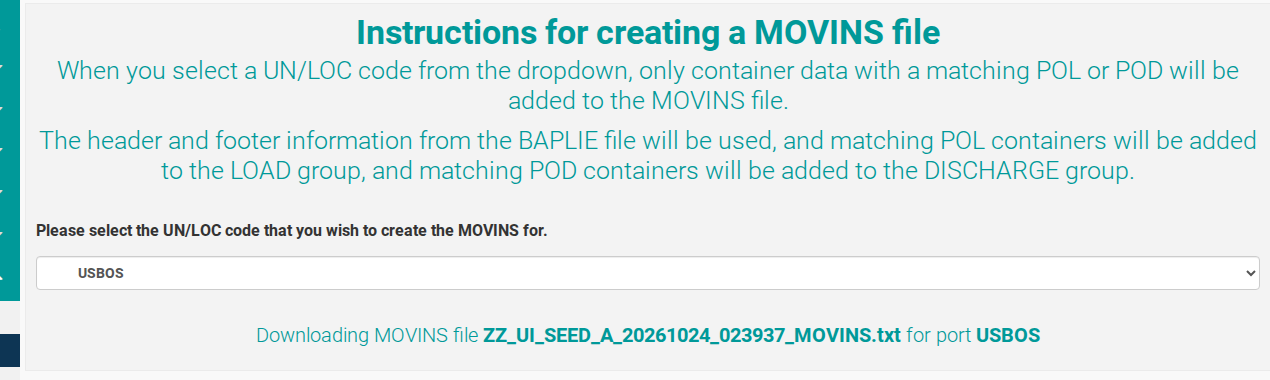
- The system makes the MOVINS file and downloads it to your computer as a .txt file. The page shows a message, for example: “Downloading MOVINS file … for port USBOS”.
How the system builds the MOVINS file
Section titled “How the system builds the MOVINS file”- Containers with a Port Of Load (POL) that matches your port go in the HAN+LOA group (the load group).
- Containers with a Port Of Discharge (POD) that matches your port go in the HAN+DIS group (the discharge group).
- All other containers are not in the MOVINS file.
Good to know
Section titled “Good to know”- The system converts the BAPLIE from the uploaded version into MOVINS 2.0 format.
- VGM weights (verified gross mass) are changed into non-VGM weights.
- The older LOC segment formats from BAPLIE 1.5 are changed to the 2.0 standard.
- ATA, ETD and ATD at the sender’s port are removed, to follow the MOVINS specification.