

How to navigate the Download BAPLIE option
Esta página aún no está disponible en tu idioma.
Use this guide to download your BAPLIE file after you have made all your changes. You can download the file in the same version that you uploaded, or convert it to another version.
Before you start: open your file.
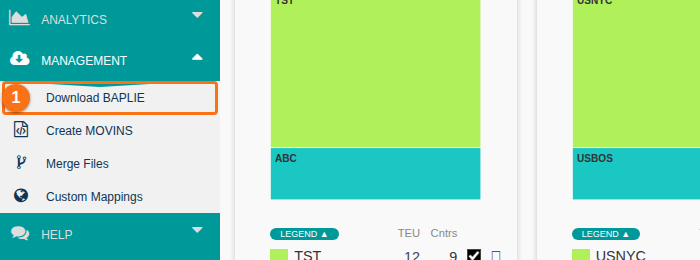
- In the Function Menu on the left, open Management and click Download BAPLIE (1 in the picture).
- The Download BAPLIE page opens. Open the list Select which version of BAPLIE to download… (1 in the picture).
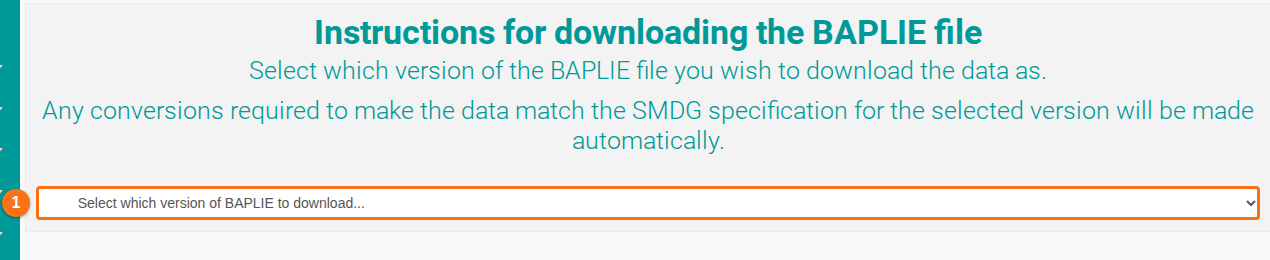
- Choose a version:
- Current Version – downloads a new BAPLIE in the version that you used to upload the data.
- Another version – converts the data to that version. The system makes all the changes that the SMDG specification needs for that version.
- The file downloads to your computer. The page shows a message, for example: “Downloading BAPLIE File … in original format”.
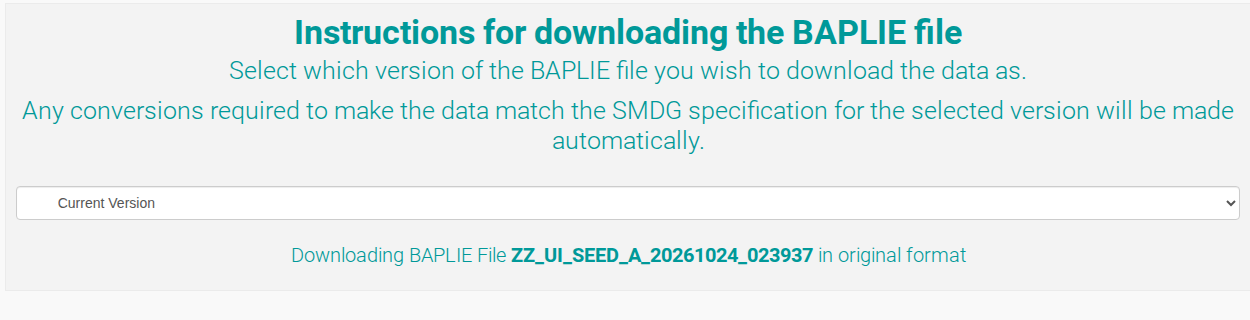
Note: by default, the system downloads all BAPLIE data as .txt files. To download as .EDI files, click here for more information.