

How to apply a column filter
Esta página aún no está disponible en tu idioma.
Use column filters to show only the rows that match a value. The filter boxes are under the column names on the Main Content screen.
Before you start: upload a file to baplieviewer.com. Then open the Function Menu, open Visualization and click Main Content. The BAPLIE file opens as a table.
Apply a filter
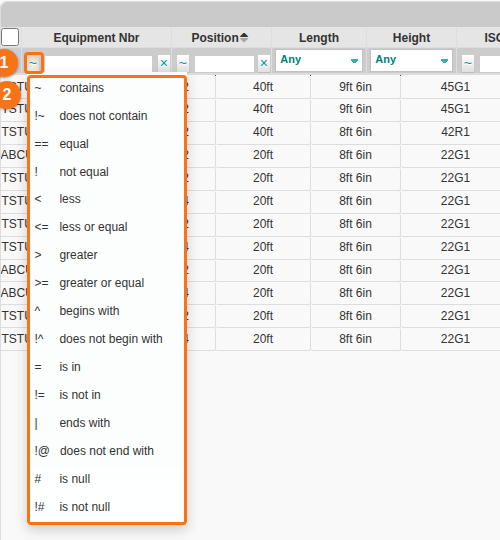
Section titled “Apply a filter”- Find the column you want to filter. Click the ~ button next to its filter box (1 in the picture). A list of operators opens (2 in the picture).
- Click the operator that fits your filter.
| Sign | Operator |
|---|---|
~ |
contains |
!~ |
does not contain |
== |
equal |
! |
not equal |
< |
less |
<= |
less or equal |
> |
greater |
>= |
greater or equal |
^ |
begins with |
!^ |
does not begin with |
= |
is in |
!= |
is not in |
| |
ends with |
!@ |
does not end with |
# |
is null |
!# |
is not null |
- Type your value in the filter box. The table shows only the rows that match.
- Look at the bar above the table. It shows the active filter in red (1 in the picture). In this example the filter is Equipment Nbr contains
ZZZZ-NO-SUCH-VALUE. No row matches this value, so the table is empty.
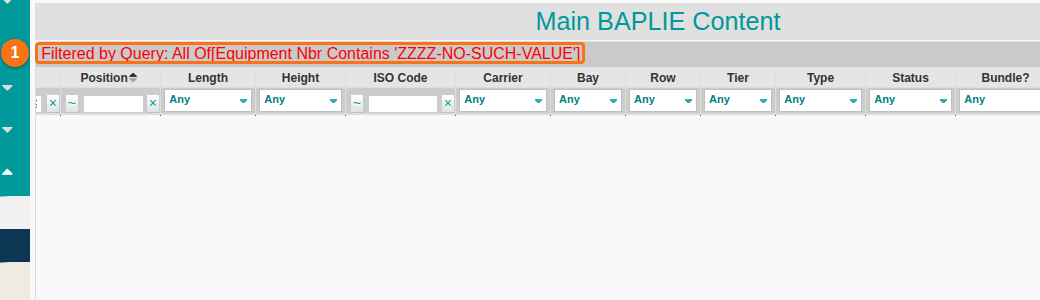
Note: some columns, such as Length, Height and Carrier, have an Any drop-down instead of a text box. Choose a value from the drop-down.
Use more than one filter
Section titled “Use more than one filter”You can filter several columns at the same time. This narrows the data to the exact rows you want.
- Set a filter in the first column (1 in the picture).
- Set a filter in a second column (2 in the picture).
- Check the red bar above the table. It lists all active filters, for example
Equipment Nbr Contains 'TSTU', Carrier Is One Of 'ABC'.

Remove one filter
Section titled “Remove one filter”Click the x to the right of the filter value (1 in the picture). The filter is removed.

Remove all filters
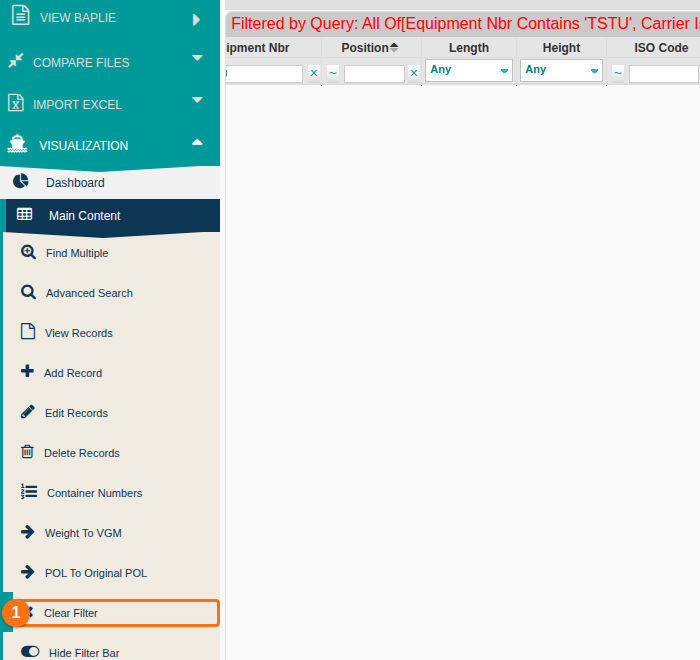
Section titled “Remove all filters”In the Function Menu, click Clear Filter (1 in the picture). All column filters are removed at once.
Good to know
Section titled “Good to know”Column filters are saved in the database. They stay for all BAPLIE files you open later. If you do not see some data, a filter may hide it. Change or remove the filter to see the data again.