How to change the order of columns
Esta página aún no está disponible en tu idioma.
Use this guide to put the columns of the Main Content table in the order you prefer.
Before you start: upload a file to baplieviewer.com. After the upload, the Dashboard opens.
Change the order
Section titled “Change the order”- In the Function Menu on the left, open Visualization and click Main Content. The BAPLIE file opens as a table.
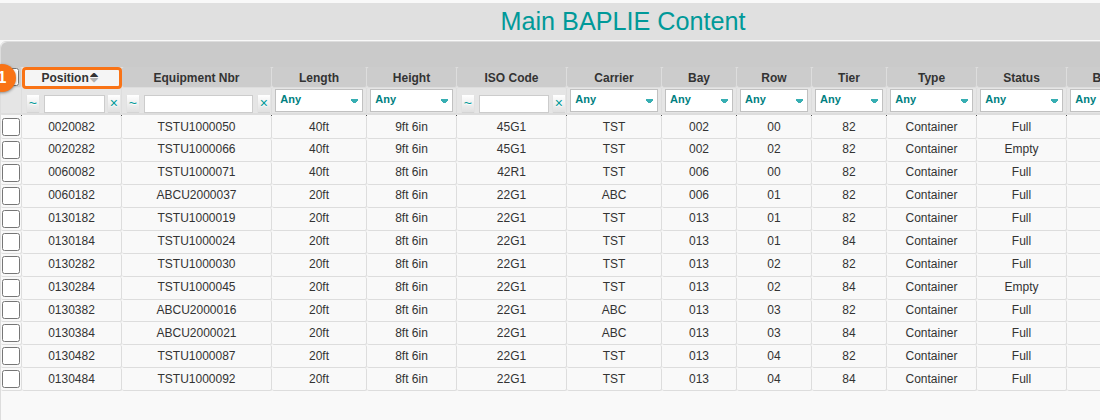
- Drag a column header to a new place. In the picture, the Position column header (1 in the picture) was dragged in front of Equipment Nbr.
- Release the mouse button. The new order is saved to your profile. It stays for all BAPLIE files you open later.
Go back to the default order
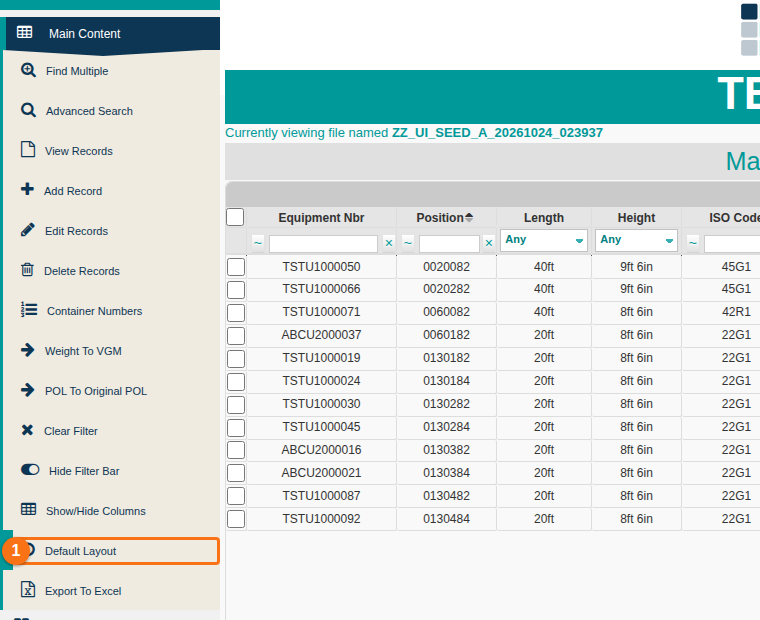
Section titled “Go back to the default order”To remove your custom order, click Default Layout (1 in the picture) in the Function Menu.